AceMoney Cloud
AceMoney Cloud
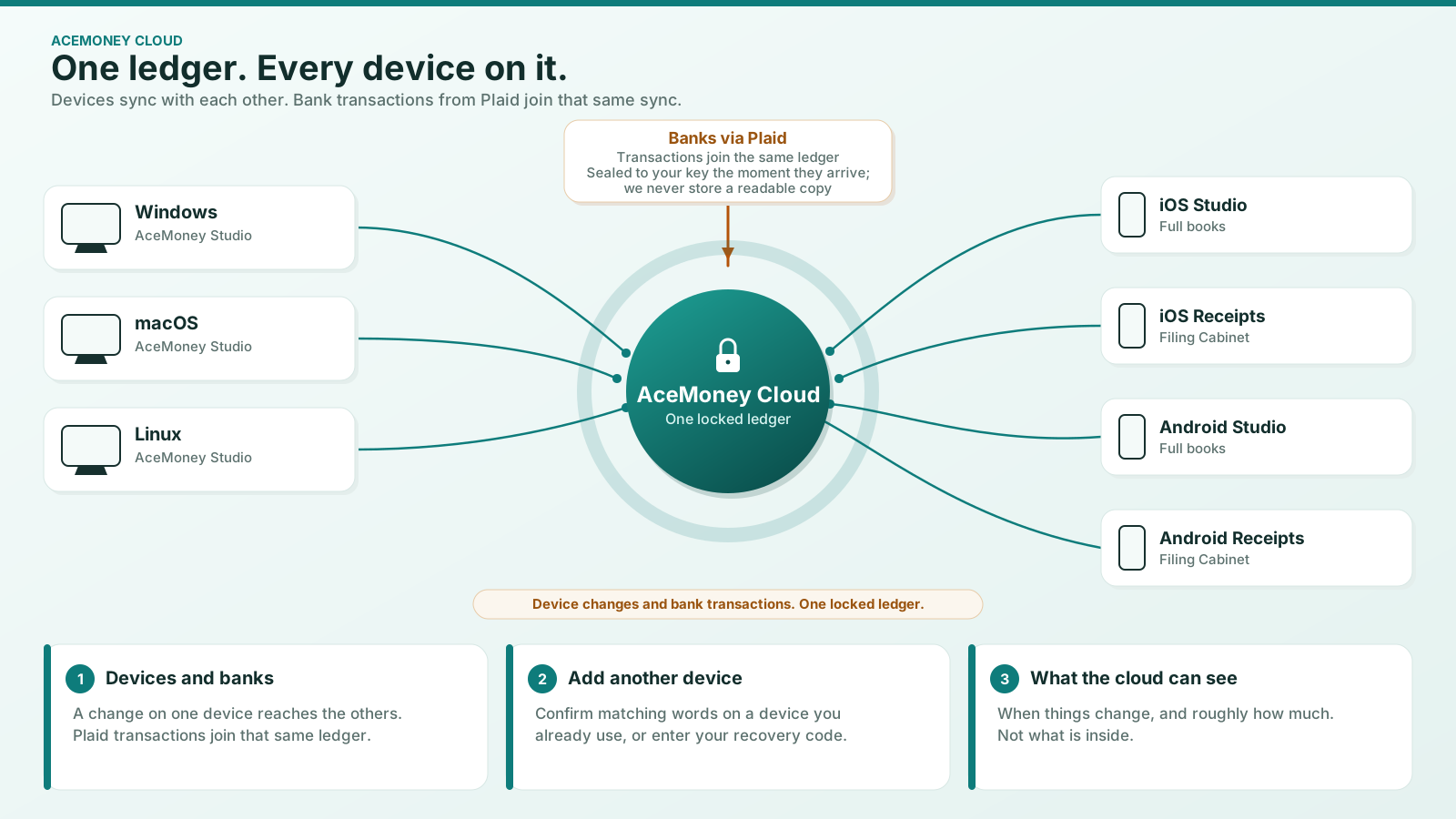
AceMoney Cloud is a subscription that keeps your AceMoney Studio documents end-to-end encrypted and in sync across your computers, and connects your US bank accounts so transactions arrive automatically. It is sold on our website, billed yearly or monthly. AceMoney Studio and AceMoney Receipts both work fully without it.
What AceMoney Cloud includes
- End-to-end encrypted sync between your computers: your AceMoney Studio documents stay in step on macOS, Windows and Linux. A document is encrypted on your computer before it is sent, with a key we do not hold, so we store it but cannot read it. See Sync between your devices.
- Bank feeds for banks in the United States, so your transactions arrive without a manual download. See Bank feeds.
- The Receipts Pro features in AceMoney Receipts: automatic reading, the item list, voice, unlimited Filing Cabinet documents (from AceMoney Receipts 2.0) and no ads.
- The Mileage plan features, including the mileage Tax pack (CSV) in AceMoney Studio.
Coming next: sync with AceMoney Studio Mobile on iPhone, iPad and Android (from version 1.2), and Filing Cabinet sync between AceMoney Receipts and AceMoney Studio (in AceMoney Receipts 2.0).
Subscribing
See Subscribe to AceMoney Cloud. The pricing page has the current price, and the bundle of AceMoney Studio and AceMoney Cloud.
Managing or cancelling
See Manage or cancel your AceMoney Cloud subscription.
When a subscription ends
See When AceMoney Cloud ends. Nothing on your devices is touched, and your synced copy stays available to restore for 12 months.
Common questions
Do I need AceMoney Cloud to use AceMoney Studio or AceMoney Receipts?
No. Both work fully on their own. AceMoney Cloud adds sync between computers and bank feeds on top.
Does AceMoney Cloud include the AceMoney Studio license or Receipts Pro?
It includes the Receipts Pro features, so you do not need a separate Receipts Pro subscription. It does not include the AceMoney Studio license, which unlocks every account in Studio. You can buy both together as a bundle; see the pricing page.
Is my data readable by anyone but me?
Your synced documents are not. AceMoney Cloud sync is end-to-end encrypted: your data is encrypted on your computer before it is sent, with a key we do not hold. Receipts in AceMoney Receipts are stored in your account the usual way; see Know what stays on your device and what we store.
Does AceMoney Cloud work outside the United States?
Sync works anywhere. Bank feeds connect only to banks in the United States; elsewhere, use SimpleFIN or import a statement file. See Bank feeds in AceMoney Studio.
Troubleshooting
I subscribed but nothing is syncing. Confirm you are signed in to the same AceMoney account on every computer: sync only runs between computers signed in to the same account. Then turn on sync for the document on the Cloud page. If it still does not sync, see Sync between your devices or contact support.
AceMoney Receipts still shows ads after I subscribed. Sign in to AceMoney Receipts with the same AceMoney account you subscribed with, then restart the app.